Make Saving Happen Before You Can Spend It
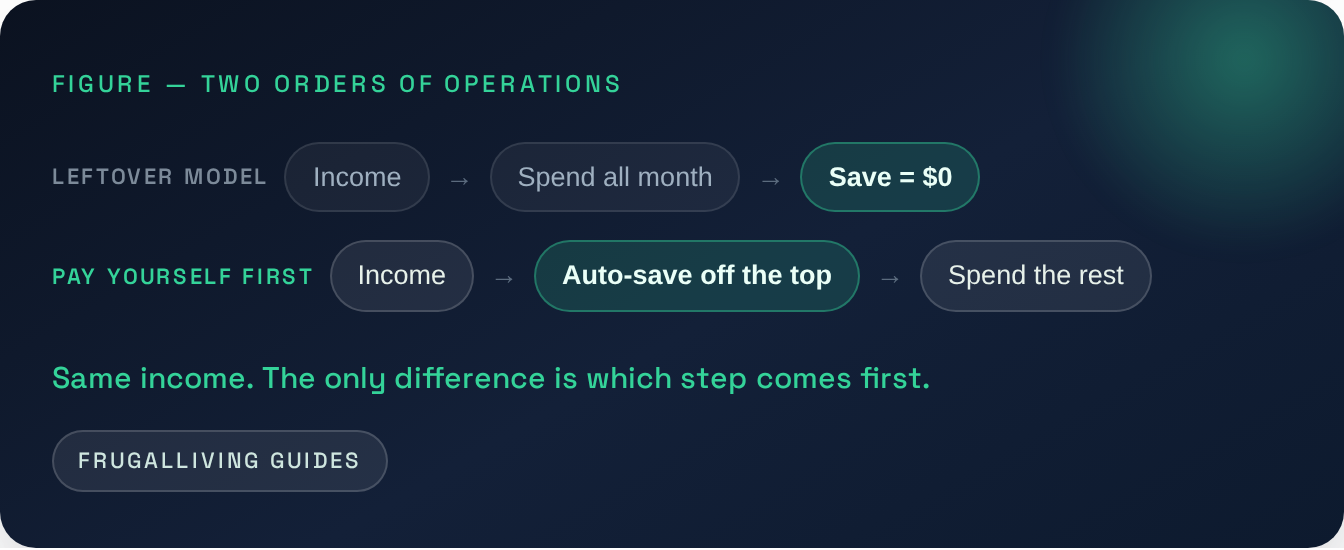
“Save whatever is left” gives spending first claim on your paycheck. Reverse the order: move savings out when income arrives, automatically, and the decision stops competing with everything else you could buy.
The last article made the case for adding friction to impulse spending. Saving needs the opposite treatment: remove the decision entirely. The most useful place to start is the order in which your money moves.
Why saving last makes saving harder
The default order is familiar: money comes in, you spend through the month, and you save whatever remains. That puts savings in the weakest position — last, after dozens of other decisions have already had a chance to use the money.
“Pay yourself first” simply reverses the order. The instant income lands, a fixed amount is moved to savings before you see it as spendable. You then live on the rest — which you adjust to naturally, because you never felt the saved portion as available in the first place.

Automation removes the one weak point: you
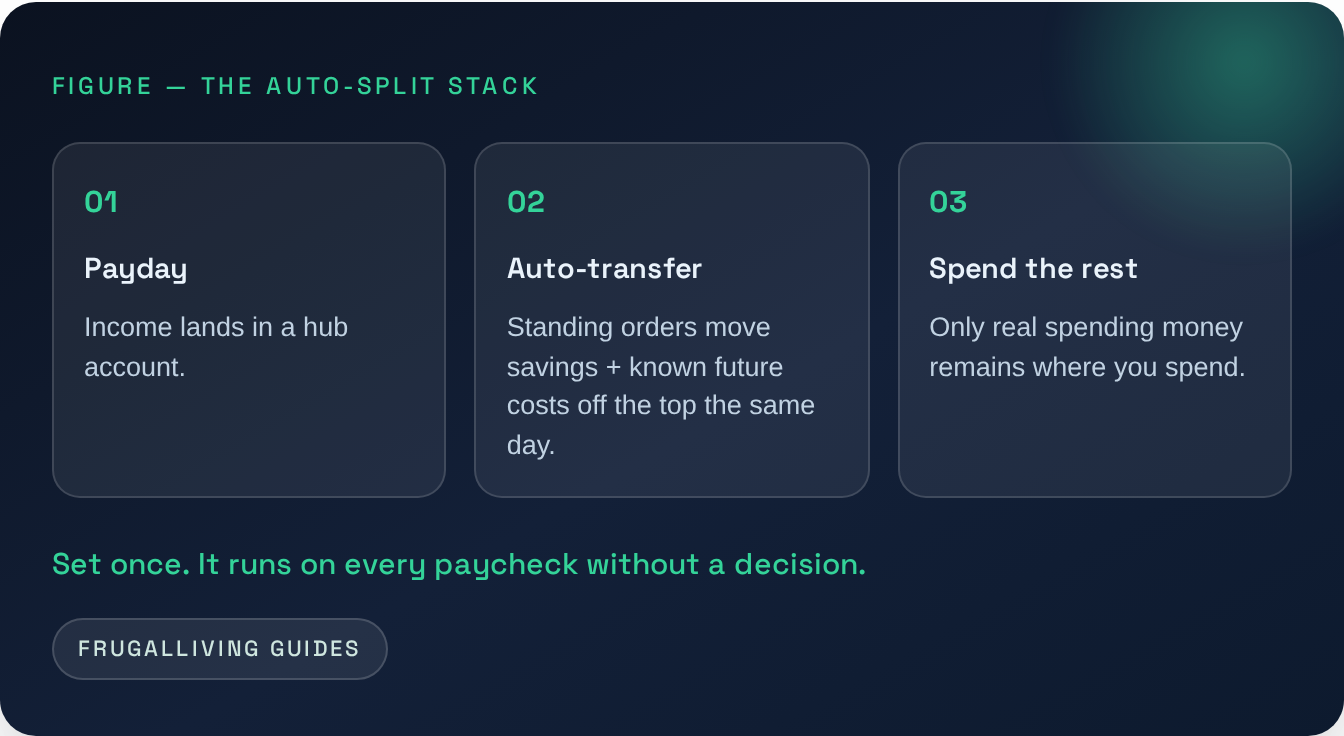
Manual saving asks you to make the same good decision every payday. Automation asks once. Set a recurring transfer for payday or the day after, then let it run until your income or priorities change.
Route it so part of the money moves before it blends into everyday spending. Income arrives; scheduled transfers move savings and, if useful, sinking-fund money for known future costs. What remains is the amount available for current spending.
Start smaller than feels worthwhile
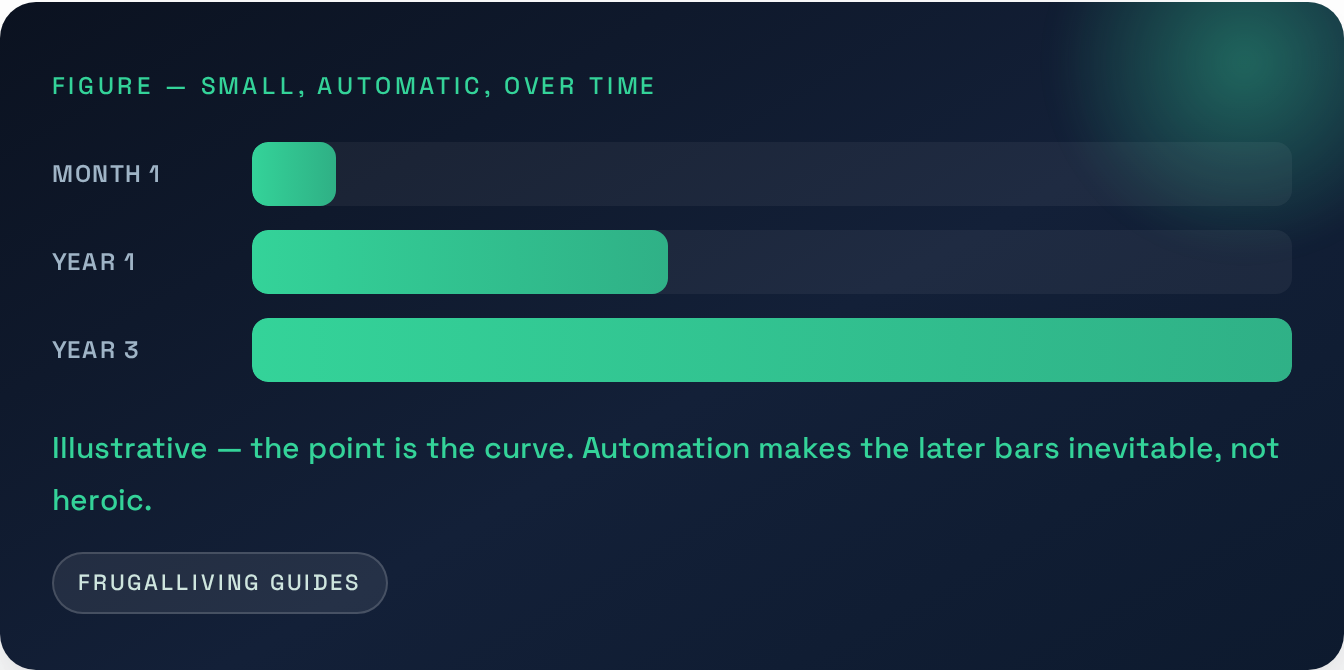
The instinct is to wait until you can save a “meaningful” amount. Don’t. The goal at first isn’t the sum — it’s installing the mechanism and proving you don’t miss the money. Start with an amount so small it’s painless, automate it, and raise it a notch every few months or whenever income rises. The first win is consistency. Once the transfer feels normal, increasing it becomes much easier.
Pick an amount that survives a bad month
The right first transfer is not the amount that looks impressive on a calculator. It is the amount you can leave running when the month is slightly annoying: a higher grocery bill, a routine car repair, a birthday you forgot to plan for.
That matters because a savings automation that gets canceled after two paychecks teaches you nothing except that the first number was too aggressive.
Try this sequence:
- Look at the last three months of take-home income.
- Find an amount you could have moved in all three months without causing an overdraft or forcing new credit-card debt.
- Start there.
- Let it run for two or three pay cycles.
- Raise it only after the transfer feels boring.
A small automatic transfer is not the end goal. It is the installation step.
The CFPB’s current emergency-savings guidance makes the same practical point in a less dramatic way: recurring transfers can help make saving consistent because you choose the amount and frequency once, then let the transfer repeat.
Time the transfer around cash flow, not motivation
“On payday” sounds simple until your paycheck arrives on Friday, rent leaves on Saturday, and a utility autopay hits Monday.
Automation should reduce decisions, not create overdraft roulette.
If your checking balance runs tight, schedule savings after the predictable bills have cleared or use split direct deposit if your employer supports it. If income is irregular, use a percentage rule or a manual “income sweep” day instead of pretending every month is identical.
One useful setup for variable income:
- choose a floor you save whenever income arrives;
- choose a stretch percentage for unusually strong months;
- keep the transfer small enough that you do not repeatedly pull the money back.
Moving money out and then moving it back is not failure. It is feedback that the amount, timing, or emergency buffer needs adjustment.
Add two guardrails before you automate anything
Automation is powerful because it repeats. That is also why a bad automation can repeat a mistake.
Before you set it and forget it:
Guardrail 1: keep enough checking buffer to avoid fees.
The exact amount depends on your bill timing, but the principle is simple: do not automate savings so aggressively that routine timing differences push the account negative.
Guardrail 2: review the transfer when life changes.
A raise, rent increase, new debt payment, job change, or childcare cost can make an old transfer too small or too large. Put a 10-minute review on the calendar every three months.
That is the difference between automation and neglect.
Automation needs a target
A savings system running on autopilot is powerful — but it raises an obvious question: how much should come off the top, and where does the rest go? That’s a budget. Not the write-down-every-coffee kind that everyone abandons, but a different design entirely — one that decides the money before it arrives. That’s next.
The move
Put saving earlier in the sequence. Move a realistic amount automatically when income arrives, start small enough that the transfer survives an ordinary month, and adjust it as your finances change. The point is not heroic discipline. It is making the good decision fewer times.
Next in this series → A Budget Should Decide Before You Spend — use the remaining money deliberately instead of reconstructing the month afterward.
Part of the larger guide: Why You Can’t Save Money — And the System That Fixes It.
Free resource → The 20-Minute Money Leak Audit
Free printable → The 20-Minute Money Leak Audit
Continue the money-saving cycle
Sources & further reading
- Consumer Financial Protection Bureau, How to save for emergencies and the future (June 2026) — https://www.consumerfinance.gov/archive/blog/how-save-emergencies-and-future/
- Consumer Financial Protection Bureau, An essential guide to building an emergency fund — https://www.consumerfinance.gov/an-essential-guide-to-building-an-emergency-fund/
- Automatic transfers are a consistency tool, not a guarantee that a particular savings amount is affordable.